
Changelog
TOC
2.0.4
New Features
- Added magnetic declination to airport info and conditions request
- Added "Operated by" in case OPR is different from ICAO code to airline block
- You can now change departed color for aircraft in dashboard
- Added RMP position on map support
- Added simulator type (MSFS/X-Plane) in pilot overlay behind a new "Show simulator" setting
- VATSIM Radar airline name & logo will now respect OPR remark
- Added model matching: E545→FA50, E550→FA50, M350→P46T, M500→P46T, M600→P46T, M700→P46T, E35L→E145, PA31→PA34, MQ9→U2
Features and Improvements
- Removed smooth aircraft for own flight on ground to reduce delay
- Bookings are now shown when filter is enabled
- Slightly improve pilot altitude calculation
- Add Moscow and Samara duplication rules
- Added a link to Pilot Feedback as a small icon near Pilot CID
- Added permanent horizontal scrollbar to airport dashboard METAR list so when long METAR opens with a lot of airports page would not jump
- Reduce map clutter and improve performance by removing some of VATSPy FIRs boundaries from map
- Add "Update Weather" button in Dashboard
Bug Fixes
- Fixed line being purple sometimes even after SID
- Fixed LIRF_TWR displaying incorrect frequency once again
- Fixed rare Approach sectors issues where incorrect TRACON was selected
- Improved VATSpy sector compare
- Fixed user block when opening Dashboard with a lot of airports in it
2.0.3.1
Features and Improvements
- Updated base map layer from 17 Sept 2026 to 20 Sept 2026 to fix weird emojis in some places instead of city names in Detailed view
- Added support for Airways and NAT Tracks color change
Bug Fixes
- Fixed rare issues when frequencies were replacing with incorrect ones, this time for pilots (For example, 124.300 showed for pilots listening for LFMN_TWR instead of 118.700). In case more than one frequency alias is present, pilot frequency will not be modified to prevent incorrect frequency alias getting selected
- Fixed Navigraph features disappearing in "other worlds"
- Fixed some Navigraph Airways showing at whole world
- Fixed some Navigraph Airways being incorrectly long and containing much more waypoints than there really are
- Fixed vIFF CTOT calculation when CDM is offline to be exactly the same as on vIFF page
2.0.3
This update is probably the final update addressing v2 feedback as there is not much left to fix. v2.1 development will begin after this one.
Features and Improvements
- Updated base map layer from 03 July 2026 to 17 Sept 2026
- Re-enabled ZNY VATGlasses sector
- Added model matching for H25B HAWKER to FA50
- Controllers callsign will now be highlighted when they are favorited/friends in controller card
- METAR will now be opened in "info" tab of airport by default
- Add country flags and airline logos to aircraft overlays by webdevcode-git. Country flag is displayed next to registration, and airline shows in case airline is non-virtual and registration is real - it will show in "Airline & Photo" section in that case
Bug Fixes
- Improved stability of ATC focus when direct link is opened
- Fixed rare issues when frequencies were replacing with incorrect ones (For example, 124.300 showed for LFMN_TWR instead of 118.700)
- Fixed MAGADAN CTA showing on whole world when having controlled airspace layer enabled
- Fixed SID being blue after departure
- Fixed old flight track showing after reconnect in case your new flight had exactly same params as previous
- Fixed flight plan resetting after reconnecting from empty flight plan and filling old one again
- Fixed speed & altitude graph color in light theme
Performance Improvements
- Implemented minor performance improvements
- Fixed an issue when having controlled/restrictive airspace enabled: zoom into the ground has led to severe performance degradation
- Fixed smooth aircraft handling all world aircraft movement instead of currently visible
- Reduced aircraft update frequency to be only when needed
2.0.2
Features and Improvements
- Max users list count has been extended from 5 to 10
- Max users per one list has been extended from 200 to 300
- "Show aircraft tracks" setting in airport overlay is now synced with global setting
- Added Asia FIR duplications
- Removed both directions option from nat tracks
- Added support for empty UIRs on map
- Removed desktop app tray icon on MacOS
- Updated desktop app to electron v44
- Added China sectors duplications
Bug Fixes
- Fixed some APP bookings not displayed when multiple APP bookings need to be shown
- Fixed dashed line to STAR waypoint showing as green even before STAR is reached
- Fixed arrived at showing after turnaround instead of planned arrival time
- Fixed last flown path showing after turnaround
- Fixed user in lists that are not marked as "show in menu" not displaying comments on pilot hover
- Fixed airport on-hover placement popup being incorrect sometimes
2.0.1.2
- Fixed CZQM/CZQX not lighing up correctly
2.0.1.1
- Added new domains to ATIS parse whitelist
- Fixed iframes showing a lot of random airports overlays, extending to whole map
- Updated Desktop App to a newer version of Electron that fixes memory leak that our application could be affected by
2.0.1
Highlights
- Add IPC handlers to expose bookmarks and websockets by neilenns. Learn more: https://docs.vatsim-radar.com/introduction/features/websocket-api. That will also allow to use Stream Deck with the VATSIM Radar plugin.
- Improved hover, smoothness and font here and there
- Restored EOBT, Time Enroute and Fuel Time in Prefile window
- Replaced map quality setting with a new Graphics Scale option, default to 100%
- Performance improvements all around
Features and Improvements
- Based on community feedback, all airports with at least one traffic anywhere will now show by default
- Updated font for controller information
- Updated font for flight and atc hours
- Updated hit detection to be zero for hover and 2 pixels for right click and click
- Hover interaction can now be enabled for tablets or all devices via settings
- Improved smoothness when switching between DGTA icons
- Animation to open map on-hover elements is slightly faster now
- You can now import and export bookmarks
- Default airport page will now only show this airport traffic only, like it did before
showInTrafficPredictionis now default to enabled when adding new airport in dashboard- New dashboard setting: "Airports traffic only" (false by default)
- Added support for correct ATC count in Discord Presence when inside Dashboard
- Since flights can now exceed 24 hours more often than before, limit for track history is now 36 hours instead of 24
- Added zoom level control for airports declutter
- Added model matching: CL35 -> CL30, EC75-H175 -> H160, A337 -> A3ST, T38-F5 -> F16, F50 -> F27
- Added model matching: M346-A29-AMX-T27 -> L159, C550 -> C510, SUCO -> H64 (AH64), P3-L188 -> DC6, MRF1 -> MIR2
- Added model matching: DA50 -> DA40, R135 -> B703, R722 -> B722, C680 -> C700, GLF4 -> GLF5, B314 -> SHIP
- Added model matching: T34P-T34T -> BE35, E45X -> E145, U20T -> C208, E390 -> C130, E110 -> C46
- Added model matching: C295 -> C160, MG21 -> G91, AC11 -> AA5, COL4 -> SR22
- Add a VSCode devcontainer to simplify dev environment setup by neilenns
- Added refresh map button to default airport dashboard
- Airport dashboard airport card now shows wind with gusts if present
Performance Improvements
- Smooth aircraft update has been capped to 30fps
- Smooth aircraft movement will now be stopped immediately if you zoom out
- Smooth aircraft movement will now be stopped if you are moving map
- Postrender update will now be limited to once per second
- Hover will no longer affect mobile devices if it is disabled in settings
- Significantly improved performance for all Navigraph layers
- Removed unneeded calculations for aircraft when map is moving
- Improved aircraft render performance
- Improved smooth aircraft performance
- Significantly reduced CPU load when using filter
- Improved Navigraph Route performance
- Significantly improved VATGlasses Combined performance
- VATGlasses Combined features will now be cached on your disk as other things do, dramatically improving load time as cache grows
- Improved long aircraft list performance in airport overlay
Bug Fixes
- Fixed airport procedures reset all, select all sids/stars working incorrectly and doing nothing
- Fixed vhf or ndb displaying as airport in some cases
- Fixed some cases where positions without simaware tracon definition would not display, such as AMM_APP
- Fixed favorite button disappeared sometimes
- Fixed positions displayed incorrectly in Featured Airports
- Fixed counters click on mobile opening airport instead of aircraft list
- Fixed header display for tablet mode
- Fixed VHF frequency lookup in airway routes
- Fixed bearing-difference calculation when selecting the closest Navigraph waypoint
- Fixed facilities chip text color in light theme
- Fixed some TWR controllers displaying twice when VATGlasses is enabled
- Fixed compatibility for Safari/iOS 15
- Airlines names will now always be uppercase. This change will be applied within 7 days from this update
- Fixed meridian gap for routes and lines
- Fixed tracks resetting sometimes
- Fixed incorrect HF frequency being shown sometimes
2.0.0.3
Features and Improvements
- Horizontal dashboard layout has become usable by ncls-alien
Bug Fixes
- Fixed booking not displayed sometimes when another facility was online
- Fixed incorrect approach callsign matching to all existing sectors, including even tower sector if present
2.0.0.2
Features and improvements
- 🔊 Added something to listen to
Bug Fixes
- Fixed collapsed mobile overlay not showing tracks on map
- Fixed aircraft flickering when declutter is on
- Fixed regression that kills VATSIM Radar's performance depending on how much friends/users you've added to favorite lists. Claude note, delete before release: since developer's friends left him after they saw new v2 font, he could not encounter this during development
- Fixed friend aircraft color not changing on hover
- Fixed NAT Tracks not showing on map
2.0.0.1
Bug Fixes
- Fixed WebSocket never reconnecting
- Fixed VATGlasses not working on first open
- Fixed auto zoom not zooming correctly when you are on ground
- Fixed system theme not selecting in settings
2.0.0
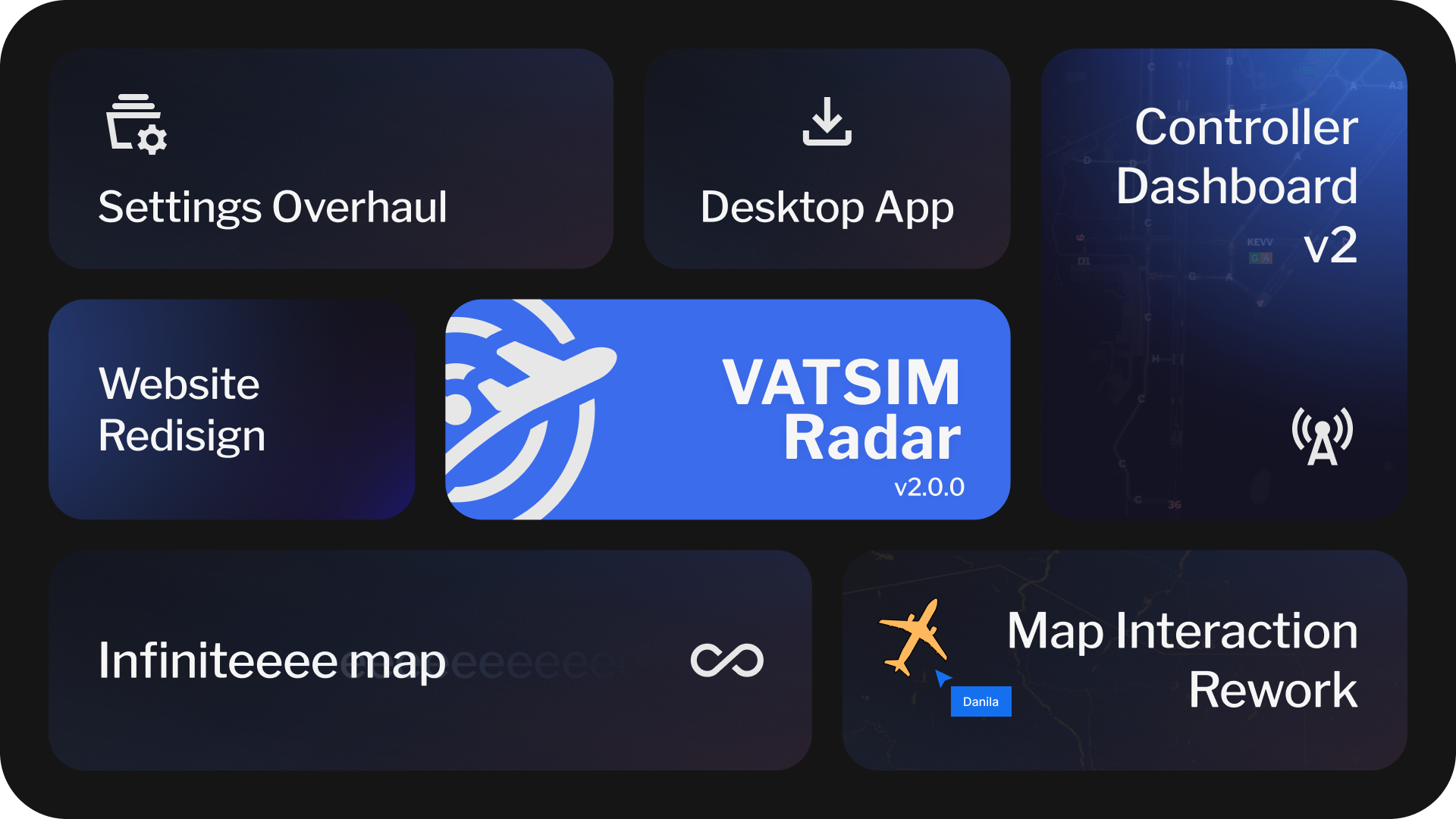
Highlights
- ⚙️ Settings Overhaul
- ♾️️ Infinite Map
- 💻 Desktop App
- 🗺️ Map Interaction Rework
- 👨✈️ Controller Dashboard 2.0
- 🚀 Performance Improvements
- ✨ Website Redesign
- ✈️ New Features and Improvements
Settings Overhaul
Settings have been reworked to a new, standalone page, featuring Search, clear navigation, and map preview.
All settings that were saved were automatically migrated. You will be offered to migrate unsaved and local settings on first map launch.
In future, you map expect exciting new features in it. In addition, layers and settings icons in map quick actions have been significantly shortened to display often changed settings.
Infinite Map
Due to internal refactor, map is now infinite horizontally. I've been asked to add this day one, enjoy!
Desktop App
You can now download VATSIM Radar and install it on your PC!
This feature has limitations - for example, on MacOS you'll have to disable quarantine for Radar to install it, and on Windows you'll see a SmartScreen warning.
Still, if you manage to install it, you can use it as any desktop app - you can even enable Rich Presence in Settings -> Application Settings.
Map Interaction Rework
Ever found yourself hovering or clicking something you didn't want to hover or click? Now, each map interaction has a priority for your actions.
That also leads to performance improvements, and a MUCH better experience on mobile devices.
Controller Dashboard 2.0
Controller Dashboard has been completely reworked, with previous map will be available to view NOTAMs, METARs and TAFs.
Dashboard now supports multiple airports, has a quick button to brief for weather and NOTAMs, as well as Traffic Prediction window has been added.
You can also view enroute traffic, change map location, set color for arriving traffic depending on airport - and even share all of these with your ATC colleagues by making dashboard public.
Performance Improvements
Map has received a LOT of performance improvements due to internal refactors, and should work much better on any devices. Freezes are still expected when map is zoomed out and multiple words are shown, especially in busy hours.
In case that will not be enough for some, Settings have received a "Performance preset" page, containing settings that affect performance the most, with a way to apply them in one click.
Website Redesign
Whole website has received a new look - from logo, to fonts. We hope that you love it, and we'll continue to improve design in future.
And that are just the highlights! Full changelog is available below.
New Features
- Map is now infinite
- Completely reworked map interactions with clear priorities and multiselect support
- Added context menu when clicking on aircraft, atc or airport
- Added a way to minify any overlay
- Upcoming and current events will now show on map
- Added departed and landed time to pilot overlay
- Added vertical speed to non-compact pilot hover and pilot overlay
- Added aircraft photo in overlay
- Added smooth aircraft movement by psergienko
- Added restricted and controller airways support
UI/UX Improvements
- Mobile on-hover overlays are now fixed to bottom of the screen and centered
- Airports are now "decluttered" when zoomed out, except for staffed facilities
- Implement automatic on-hover delay
- Significantly improved aircraft hovering stability and predictability
- Removed aircraft on-hover delay separate setting in favor of global hover setting
- Implemented dynamic on-hover aircraft position (based on heading only)
- Significantly improved distance tool update speed when attached to an aircraft
- Airway direction is now specified as next waypoint instead of "Forward" or "Backwards"
- Navigraph AIRAC data now updates faster and in background
- Hovered pilot and atc info now always show friend name and comment
- Overlay actions are no longer pinned to bottom of the screen on mobile devices
- Navigraph procedures will now be automatically cleared if airport overlay is closed
- Procedures will now show in Airport Dashboard even if airport is not found in VATSIM AIP
- Added TWR icon when VATGlasses or SimAware TRACON TWR sector is active
- Bookings now update more consistently and every 5 minutes instead of 15
- Added a way to quickly disable and enable VATGlasses
- Changed calendar menu to open events by default
- Improved speed/altitude graph smoothness
- Added an ability to zoom to any controller, including CTR
- Controllers will now be focused when opened from search - same as with aircraft and airports
- Weather request and route/remarks textareas are now not collapsed (except for Firefox in weather request, I'm sorry)
- Added distance tool infinite worlds support by psergienko
- Filters Favorite Lists will now show list name instead of ID after it has been selected
- Filters are now responsive, applied instantly after you modify them. Auto-save is not enabled for filters
- A separate Enable toggle (active by default) will now show in Filters to quickly disable them
- Significantly improved filter apply speed
- Added a clear indication that temporal filter is applied
- Login flow to VATSIM, Navigraph, as well as Logout has been improved, placing you to the same page you have left when pressed login/logout
- You can now declutter aircraft when zoomed out, or always, to improve performance
- Airport counter is now named to represent Settings Mode for this counter
- Favorite pilot will now highlight in red when squawking emergency
- Added a setting to highlight sector where you are currently flying
- Added pilots section into each atc showing aircraft under control
- Added Mobile Sheets on mobile by psergienko
General Improvements and Additions
- Approach transition will now be automatically parsed from flight plan
- Added an ID for VATGlasses sectors
- Bookings are now rendered in VATGlasses mode; bookings not showing up or duplicated facilities issues have all been fixed
- VATGlasses controllers and TRACONs covering multiple airports are now properly shown in "ATC" tab of pilot or airport
- Added active runway parsing from ATIS on airport/ATIS, as well as runway auto-select for VATGlasses
- "Booked until" will now be displayed for controllers on hover
- Added support for search history
- Booked favorite controller will now show in Favorite section
- You can now hover over empty airports to find out their name
- Fix website reloading multiple times after update
- Renamed Weather Request to Conditions Request, added NOTAMs to this window
- You can now disable ARTCC TRACONs extensions
- Added CTAF frequency to VATSIM Airport Info when available on Info page of airport
- Added TWR icon to airports where SimAware TWR TRACON is shown to make it more clear that TWR is currently online
- Airport label will now always show if aircraft with this departure or destination is hovered
- Added point bearing distance support
- Added ICAO in route field support
- Added a setting to move favorites to top right corner of screen on desktop - like on mobile version
- Added a setting to pin favorites
- Updated default map layer from 04 Dec 2025 to 03 July 2026
- Added current time to events page
- Added a setting to disable dashed line/line to airport in case SIDSTAR parse failed
- Added new button to play synthesized SELCAL tone on click by laurinbirchler
- You can now customize approach label separately from approach border by laurinbirchler
- You can now view all airports on map via Display Mode setting
Performance improvements
- Improved performance of airports/ATC data update
- Reworked airports render for better memory usage
- Removed memory consumption on SimAware data
- Reduced gates memory consumption on render
- Significantly reduced memory usage for airlines icao codes
- VATGlasses will now detach and stop updating when disabled after being enabled
- Reworked aircraft render for much better performance, including speed of render and reduced memory and cpu usage of both aircraft and tracks update
- Significantly improved tracks render smoothness and delay
- Improved performance in Airport Dashboard
- Significantly reduced memory used by Navigraph Airways layer, added a cache for faster rendering and changed design a bit, so it's now worth giving this layer a go
- Significantly improved performance and memory usage when rendering holdings, especially when rendering enroute holdings (all holdings layer is not enabled). Previous code was terrible. Who wrote that? Jesus.
- Improved performance of Navigraph Layers, such as NBD, VORDME, Waypoints, as well as route rendering
- Improved performance and memory usage of route rendering
- Greatly improved speed of route rendering
- Turns update has been slowed down to 5 seconds per aircraft
- Significantly improved performance for VATGlasses mode
- Significantly improved memory usage for VATGlasses mode, not consuming it for countries that are not rendered
- Reduced traffic used on regular updates
- Airport counters update will be much faster now
- Reworked datafeed to be more compact
- Significantly optimized basic layer in terms of performance and memory usage, at a cost of low quality on high zoom levels
- Speed up website loading on second load by utilizing PWA cache
Technical changes
- Pilot "At Gate" status has been removed to improve performance. Only departing and arrived now remain
- VATGlasses combined mode is now always rendered on device, leading to a very slow initial render. This mode is not widely used, yet it had separate server instance
- Reworked controllers/sectors logic to be on frontend, leading to improved server worker update time, reduced delay, and a better code in general, for a small performance cost
- Added support for booking debugging
- Added support for a toggle for duplicating ATC instead of having to remove it all the time
- Added local debug menu to test route parsing, add fake ATCs and enable beta VATGlasses feed, available in Settings → Account → Debug mode
- Removed Sentry to improve bundle size. It's not like I was checking errors anyway
Redesign
- VATSIM Radar has a new logo now!
- Font has been changed across all website
- Colors have been changed across all website
- Map on-click info popup redesign
- ATC icons redesign
- Controller info redesign
- Added compact facility view when too much info is shown
- Redesigned Navigraph on-click overlay
- Redesigned pilot on-hover overlay
- Redesigned tooltips
- Redesigned copy info block
- Redesigned attributions
- Redesigned footer
- Buttons have been redesigned for new VATSIM Radar simple look
- Notifications have been redesigned - each closed notification now also saves into your account, in case you are logged in. You can now also reset all saw notifications in settings
- Redesigned header
- Redesigned tabs
- Redesigned controls: radios, toggles, etc
- Made compact aircraft hover mode much more compact than before
- Redesigned inputs and selects
- Redesigned all overlays
- Tables redesign
- Redesigned friends status: you can now click on individual links instead of one big link
- Redesigned VATGlasses slider for a consistent look in all browsers
- Slightly improved filters design
- Removed filter icon from Search: search settings can now be configured in Settings v2 instead
- Changed icons in Presets Manage so they would better reflect the action they do
- Combobox arrow will now disappear, if there is nothing to select
Bug Fixes
- Settings color reset now respects all further color changes
- Fixed Retry button in Init Popup not closing popup if retry was successful
- In case any of browser database methods will fail during initialization, database will be destroyed, and page will be reloaded for a complete update (assuming DB is corrupted, requiring to fix it manually before)
- Removed blue highlight when you click the map
- Fixed atc time text color in light theme
- Fixed many bookings not showing up
- Bookings will no longer be added to active sectors, or to an airport where booked facility is staffed
- Fixed waypoints sometimes not connecting with airways
- Fixed some waypoints not showing correctly
- Removed duplication logic when controller is rendered in VATGlasses
- Fixed NOTAM overlapping with open overlay on PC
- Fixed rare datafeed worker crash
- Fixed departed distance incorrect for some departures
- Fixed some aircraft icons showing slightly incorrect border color
- Fixed concorde NAT tracks parsing incorrectly
- Fixed some incorrect airways parsing bugs
- Fixed rare issue when airway identifier parsed as coordinate
- Ground traffic will now always show for airport that has airport overlay opened
- Fixed map settings positioning on low width and height of device
1.2.4.8
- Add CWM E/W sectors to ATC duplication
- Navigraph-only auth is now supported for users without VATSIM Account, or without a will to link it
- Fixed new Military Rating not displayed
1.2.4.7.2
- Fixed waypoints sometimes not connecting with airways
- Fixed some waypoints not showing correctly
- Improved performance and stability of aircraft tracks
1.2.4.7.1
- Added support for NAT frequencies for ATC and pilots
1.2.4.7
- Added vIFF & CDM system integration. Learn more: https://cdm.vatsimspain.es/
- Fixed SID transition selection not working
- Refactor MMEX from ICAO to IATA and adds MMZT, MMID and MMTY ACC's | VATMEX
- Updated ZME Regex Pattern
1.2.4.6.4
- Fixed coordinate format
6800Enot parsing correctly - Fixed some terminal waypoints replacing enroute waypoints if they have same identifier and region
- Implement ZME TRACON Duplication
- Add MMEX ACC TMA duplicating for VATMEX
- Add HCF Center and TRACONs to ATC duplication
- Duplicated controllers are now properly filtered from airport if a real controller is sitting there
- If one position is duplicated by both CTR and APP controllers, CTR will no longer show up
- Fixed duplicated color when custom setting is used
- Duplicating RegExp will no longer trigger by random words in ATIS
1.2.4.6.3
- Fixed airways merging
- Fixed raw coordinates detection, supporting those coordinates: N4930W01520 49/1520 570021N0380421E 07N178W 0330N18000E
- Fixed meridian line sometimes not connecting properly
1.2.4.6.2
- Added new coordinate format support:
570021N0380421E - Speed up map loading by exactly one second (blushes)
- Update ZAU Duplicate Regex
- Add ZLC Mapping for ATC Duplication
- Add VATSIM Achievements
1.2.4.6.1
- Fixed Map Layer stopping loading when weather is failing to load
- Roadmap has been updated
- New icons from DotWallop: AA5, AN26, B52, BE33, C46, GA7C, L159, LEG2, P06T, VL3
- Added model matching: AN32→AN26, VL3T→VL3, PA30→PA39
- Add CZYZ FIR Terminal Sectors to ATC Duplicating
- Update regex for LECB area in ATC duplication
- Add ZDV mapping for ATC Duplication
- Fixed map settings impossible to save or import if counters were disabled at some point
- Fixed map settings impossible to save or import if Navigraph Terminal Waypoints were enabled or disabled at some point
- Fixed map settings impossible to save or import if Aircraft scale settings is set to anything with 2 number after dot (for example, 1.35)
- Fixed some airways not showing as intended
- Add ZAU Center and TRACONs to ATC duplication
- Migrated to new FAA NMS API
- To improve CTAF frequency usage, CTAF frequency has been added to first tab of pilot ATC popup if no other ATC is available and pilot is not tuned up to CTAF frequency
1.2.4.6
- Add AGS approach to ATC duplication
- Add VLY_X_APP to ATC duplicating
- Add MHCC_CTR mapping for ATC duplicating settings
- Added Modelmatching for several BE36 Types
- Duplicating TRACONs are now displayed in ARTCC/FIR colors
- Original callsign is now shown for all duplicated facilities
- Added a duplicated warning with orig callsign in ATC popup if facility is duplicated
1.2.4.5.2
- Added automatic VATSIM Status Monitoring
1.2.4.5.1
- Fixed tracks data resetting on each disconnect or "next" version update
1.2.4.5
- Added NZ sector duplicating
- Restored RainViewer weather layer
- Add ZKC Center and TRACONs to ATC duplicating
1.2.4.4
- Fixed an aircraft constantly going back and forward when tracked
- Fix zdc atc duplication
- Fix
[object Object]error preventing of loading aircraft procedures - Fixed enroute VHFs not showing on map
- Fixed some ARTCC/CTR bookings not showing up
- Added ZJX/ZTL/A80 to atc duplication
- Added vatspy data matching by aeronav positions as fallback by Felix 1025793
- Sectors are now shown in booking override mode by Felix 1025793
- Fixed VATGlasses data not working in certain conditions
1.2.4.3
- Fixed map crash after airports procedures have been opened, but nothing was selected
- Fixed "show pilot stats" toggle not being saved
- Add day/night layer (terminator) to "Map layers" settings. More customization options will be available later
- Add LECB Area mapping to ATC duplication settings by 1558357
- Add ZNY and N90 to ATC Duplication by 1590802
- Fixed "Not tuned up" message on NAT controllers. A proper solution will be implemented later
1.2.4.2
This release is focused on a small bug fixes and improvements, including Navigraph Layouts.
- Fixed runway markings for Navigraph Layouts
- Added missing helipads to Navigraph Layouts
- Added apron names for Navigraph Layouts
- Deicing pads are now less bright in Navigraph Layouts
- Fixed an issue when distance flown was bigger than intended, leading to funny bugs in edge cases
- Distance tool layer will now have priority over route line
- Fixed "infinite" Navigraph Data updating once and for all
- Added missing support for _TWR sectors showing their sector, if defined on SimAware TRACON project (new sectors are not accepted until further notice, but existing will be supported now)
- Fixed pilot encoding being incorrect in some places by 1849614
- Airport will now always be visible in case overlay is opened, even if no ATC/traffic is present here
- Fixed deicing pads overlapping with taxiway labels
- Min zoom to view labels for Navigraph Labels has been changed from 15 to 14.5
- For debug/atc purposes, added ATC frequencies into ATC popup
- Removed tabs from ATC popup
- Now showing an error "Not tuned up!" in controller info in case controller doesn't listen to primary frequency
- Add SCT/ZLA to ATC Duplicating
1.2.4.1
- New icons from DotWallop: AEST, B36T, E300, FDCT (CTLS), IL18, PTS1/2, S76, SHRK, SW3
- Model matching added for similar airframes.
- Default helicopter model changed to B407
- Added generic "HELO" and "HELI" designators
- Fixed overlapping issues with own callsign and callsign nearby
- Improved NOAA switch as fallback source when VATSIM METAR is outdated
1.2.4
Highlights
- Added (and enabled by default) long requested dynamic aircraft scaling based on zoom level by 1489535
- Added headings to distance indicator by 1489535 - they also respect great circle from now on
- Added About page and redesigned Privacy Policy by 1769455
- Changed left & top menu icons by 1769455
- Implemented very fast updating of your own flight (below FL250 and 100GS)
- New icons from DotWallop (finally!): PA39, CS50, FOX, UH1 (More coming!!)
Features and improvements
- People will now be marked as "online" in VATSIM Radar for ~2 minutes after they've left the tab, instead of 10 seconds
- Reduced traffic consumption on "online" status check
- Predicted route line will no longer be added before you even departed to improve map readability
- Airport dashboard will no longer open aircraft card if your flight is active, making it more usable for regular flights
- Improved memory consumption of next waypoint dashed line render
- Updated map tiles to 09 Nov 25 from 24 July 25
- Your predicted route is now thicker than other
- Implemented ZMA TRACON, ZOA TRACON and ZDC PCT area duplication logic
- Added bgvacc.org, vatsim.me, nyart.cc (thanks emiledeloof) and vatsim-petersburg.com to domain whitelist
- Duplicated controllers are now hidden from ATC online stats
- Duplicated controllers now show with a dashed line
- Aircraft icon will now move together with map, not fall behind
- Slightly improved performance for loading any Navigraph Data or Airport Data - noticeable for users with heavy friends lists, or for next users
- Added transitions select even if only one transition is available - so you can toggle it, or turn if off, when applicable
- You can now hover precisely on aircraft even in "crowded" space
- All boundaries have been removed from "light" layer
- It's now much easier to click on aircraft that is close to airport name
- Updated map tiles to 07 Dec 25 from 24 July 25
- You can now choose to show raw SIGMET data only when clicking on them
- Default ground traffic mode is now "hide if zoomed out" instead of "show all"
- Reordered booking calendar time options by 1532684
- Added changelog into https://docs.vatsim-radar.com/changelog - view it for cool VR history
- Model matched E6 -> B703
- Max map zoom has been limited to 20
- Improved gates rendering performance - their font is also smaller now
Bug fixes
- You can now select approach without a star in Proc tab
- Fixed SIGMETs not updating (once more lol)
- Fixed some route parsing crashes
- Fixed issue when STAR was selected without an approach, it selected random runway instead of needed one
- Fixed an issue when your aircraft was not tracked when it was supposed to on map first open
- Fixed a crash when opening ?pilot=CID link, when pilot is offline
- Fixed some approach controllers info such as name or rating not updating until reload
- Fixed presets sorting not working
- Fixed airway waypoints disappearing, if star starts right after airway
- Reworked aircraft callsign render and interaction
- Center and APP sectors will now disappear when zooming in by 1489535
- Fixed first approach waypoint not showing constraints
- NY_CTR has finally been excluded from VATGlasses display
- Fixed procedures resetting on page reload
1.2.3.4
- You can now select airport dashboard page layout on small screens, tablets and mobile devices
- Improved controller mode in mobile layout in airport dashboard
- Selected aircraft in airport dashboard is now displayed properly (in a popup) on mobile devices
- Added VATUSA ARTCC domains by SebPartof2
- Resolve UI overlapping issues on Bookings page by Juncheng Lu
1.2.3.3
- Fixed departure airport displaying in Proc tab when arrival should be displ,ayed
- Added beluxvacc.org, portugal-vacc.org, vathk.com, hq.vat-sea.com to whitelist
- Fixed VORDME/NDB separate enable failing to load
- Fixed incorrect AIRAC for Navigraph, added fixes to prevent such issues in future
- Fixed first STAR waypoint restrictions not showing
1.2.3.2
- Fixed some cyrillic ATC info not being parsed correctly
- Updated auto-parsed domains whitelist: added vatsim-radar.com (lol), vatrus.info, uuwv.ru, vatsim-scandinavia.org, vatcar.net. Current list also includes vats.im, discord.gg, vatsca.org, vatger.de
- Arrival airport will now always be visible in Proc Aircraft tab, even when not departed yet
- Fixed aircraft route sometimes appearing when on-hover parsing is disabled
1.2.3.1
- Disabled v1.2.3 update popup
- Fixed Asia Center display in VATGlasses mode
- Changed SIGMETs update rate to once per 5 minutes
- Changed bookings, oceanic tracks and SIGMETs caching duration from 10 to 5 minutes
- SIGMETs will now show in airport dashboard if enabled on main map
- Fixed parsing of callsigns such as BUMPY
- Added direction, speed and altitudes to AIRSIGMETs
- Fixed some airports bookings displaying with an incorrect color
- Added hyperlinks highlight in ATIS
- Fixed arrival line flashing constantly when route parsing is off
1.2.3
Welcome to newest VATSIM Radar release! I didn't plan to make it this huge so sorry about that. I have also decided to make it performance focused - so Radar may start to work better on not-so-high end machines.
Please keep in mind: Navigraph will initialize for a very long time in this update. This is intended, please be patient - that saves you dozens MBs of memory.
Highlights
- 📊 Airport Dashboard enhancements
- 🛩️ Registration, alternates and voice rules in pilot overlay
- ⚡ Performance and memory usage improvements
- ✨ Bug fixes and quality of life improvements
Features and improvements
- It is now possible to view VATSpy polygons on "other worlds" of map
- Added ZMA Ocean Area duplicating logic by glott
- Added 95% and 97.5% transparency settings for SIGMETs
- Added information panel to airport dashboard in controller mode, showing current/previous QNH, ATIS info, as well as current/previous METAR
- You can now disable route parsing on hover
- Added ZOA NCT Area mapping logic by
cskoand ZMA Ocean Area logic byglott- see https://docs.vatsim-radar.com/guide/duplicating\ - Added altitude correction to Speed & Altitude graph, so it now shows altitude according to QNH
- Pilot info and airline name are now aligned in pilot overlay
- Added registration, alternates (w/ takeoff/enroute) and Voice Rules to pilot overlay
- Metar Request in pilot overlay will now include departure airport if clicked inside a prefile
- Airport Dashboard now updates weather and NOTAMS every 5 minutes with an ability to fetch them manually
- NOTAMs cache update has been lowered from 2 hours to 15 minutes
- Alaska AIRMETs are put back into operation
Performance improvements
- Slightly improved aircraft update performance
- Reduced approach caching size
- Improved route loading speed
- Reduced VATGlasses memory usage when update is not needed
- Skip VATGlasses update if not needed to improve memory usage and performance
- Significantly (>100x times) reduced route parsing memory consumption in exchange for slow first Navigraph database init
- Tracks data is no longer required for initialization - it will be loaded in background instead
- Fixed unneeded flight data updating even when aircraft is standing still - this should slightly improve flight history service performance
- Route does no longer depend on tracks loading - previously, if we had tracks slow load, route didn't load as well
- Improved performance when updating aircraft in dashboard mode
- Add airport data cleanup when zooming out
Bug Fixes
- Max waypoint distance allowed has been increased to 700NM from 500NM. Let us know if this causes issues
- Once again fixed bookings not updating
- Fixed RainViewer weather not loading on some zoom levels
- Fixed CONVECTIVE SIGMETs not showing on map and SIGMETs color refresh by glott
- Fixed an issue when you couldn't save map settings if you have changed bookings visibility
- Fixed airway getting parsed as full airway if route ends with it without second waypoint
- Fixed NOTAM swipe on touch devices
- Fixed holdings not displayed for manual airport star selection
- Insane aviation fact: magnetic declination exists! Holding patterns now respect it
- Waypoint restrictions will stop hiding randomly and will always show when intended
- FIR/ARTCC bookings will not show when they are disabled
- Fixed edge cases when day title on events page was not displayed correctly when switching between local and GMT+0 timezones
- Fixed pilot overlay crash when pilot is flying to an unknown airport
- Fixed airport aircraft list crashing
- Fixed aircraft route constantly disappearing on first open
- ATC total stats will now show the same number as stats page - time as supervisor is now excluded
- Fixed some bookings showing as staffed
- Fixed some bookings showing incorrect shape or TRACON
1.2.2.4
- Alaska AIRMETs were temporally disabled
- Fixed all SIGMETs not showing on map if one of SIGMET types is failing to be loaded
1.2.2.3
- METAR is now cached for 5 minutes instead of 10 minutes
- Fixed next segment after SID color being purple instead of blue
- Enroute VORDME/NDBs are now displayed on map
- If your supervisor friend is flying or controlling while SUPing, it will now be shown in friend list
- Renamed ATIS NOT AVAIL in ATC popup to INFO NOT AVAIL
1.2.2.2
- Fixed SELCAL sometimes parsing as virtual airline name
- Fixed rare cases when VATGlasses approach controllers not displaying on map
1.2.2.1
- Fixed some cases when you were unable to save map settings
- It is now much, much easier to click on an aircraft on mobile
1.2.2
This update is focused on bug fixes and small improvements.
- You can now use
,as separator for VA name, or in VA website by andy199310 - TCAS Simbrief will now be filtered from VA name by andy199310
- Added support for Terminal Waypoints parsing - not displayed on map by default when waypoints layer is enabled
- Fixed TRACONs not showing for
__and such callsigns - Fixed some edge cases for route parsing
- Fixed star/runway selected in Proc sometimes getting reset
- Fixed bookings updating every 15 hours instead of 15 minutes
- Expired bookings will now immediately hide from map
- Fixed console error spam if tracking an aircraft on the ground
- It is now much easier to swipe-to-close NOTAM
- NOTAM close button has been moved close to text... so you know, it's not placed below overlay
- Improved internal data update speed
- Improved aircraft click on map for both touch screens and mouse
- You will now be able to precisely hover on aircraft even if they are close together
- VATGlasses will no longer open if you click on an aircraft
- You can no longer add yourself as a friend 😦((
1.2.1.1
I flew to EDDF yesterday. While it was fun, I have also noticed significant performance issues. This patch tends to fix them - let me know if you see any changes, and also lmk about performance issues you experience in general.
- Restored straight arrival line when route cannot be shown due to performance - also solving unneeded calculations
- Fixed constant holdings calculation to be once per second instead of dozens per second to improve performance
- Fixed performance drop when aircraft list is open - e.g. airport overlay or dashboard
1.2.1
Welcome to quality of life VATSIM Radar update! This update adds new features and fixes many issues.
Highlights
- You can now view bookings via map footer, by Felix
- Added Speed & Altitude graph to pilot overlay
- Fixed random aircraft hovers with added delay
- Added NOTAMs grouping
- Added private mode to user settings, so you can hide from following you using favorite lists feature
- New icons from DotWallop: CL2T, V10, C68A, EPIC, CL30, C919
- Added model matching for F18H, F18S -> F18, improved model matching for several helicopter models
- Removed some invalid ICAO codes from model matching
- Fixed flight plan waypoint spawning on another side of planet - max distance can now be 500NM
- Added natTrak direction filter and indicator, inactive routes parsing support
- Add "Locked by ATC" label to locked flight plans
Features and Improvements
- Updated "Basic" map layer
- Default map layer has been updated to 20250724 from 20250622
- Improved performance when updating aircraft
- Improved memory usage when parsing many aircraft flight plan
- You can now use CMD instead of CTRL to open search or use ruler with CTRL option
- You can now view pilot atc hours in pilot's popup
- Bookings will now show for empty or "fake" airports
- Speeded up bookings and tracks updates from 30 to 10 minutes
- Clicking on booked controller will open controller's page on stats.vatsim.net
- Arriving aircraft are now sorted by time to be flown in airport dashboard / overlay
- You can now edit booked atc/fir color
- Added 95%, 97% and 99% transparency support
- Deleted runway transitions from STARs
- Added events page auto update every 5 minutes if you stay on this page
- Added support for 7601 emergency squawk code
- Added an ability to modify or disable new hovering system
Bug Fixes
- Fixed Navigraph AIRAC sometimes loading old AIRAC data
- Fixed an issue when Proc for previous flight were not unloaded for a new one
- Fixed opening Proc clearing routes for every aircraft
- Holdings now have lower priority than waypoints names
- Fixed bookings not updating without page reload
- Fixed bookings sector sometimes being incorrect
- Heatmap layer has been fixed
- Fixed some airways not parsing correctly
- Fixed some approaches parsing incorrectly and showing same runway instead of correct suffix approaches (ILS -> ILS Z, etc)
- Fixed concorde tracks showing slightly off
- Improved header/footer layout for non-full hd desktop screens and tablets
- Fixed SIGMET click taking priority over VATGlasses controller info
- Fixed BALL icon rotation
- Fixed weather layer not updating automatically
- Fixed aircraft lines sometimes not clearing up - it should also happen faster now
1.2.0.1
- Fixed airway transition to another region airway with same name could result in route looking weird
- Added a way to disable waypoints in "Airport Tracks"
- Fixed weird holdings font
1.2.0
Highlights
- 🧭️ Navigational Data on map (provided by Jeppesen and Navigraph)
- ✈️ Predicted aircraft route
- 📅 Bookings improvements
- 📏 Distance measurement tool
- 👨✈️ Shared cockpit support
- 🌦️ Weather request
- 🗺️ New map layers
Navigational Data
Available under "Navigraph" section of Map Layer settings, you can now toggle to view Waypoints, Airways, NDB, VORDME, and Holdings on map.
For those who have Navigraph subscription, newest AIRAC is used - for others, Navigraph provides AIRAC 2403 for free.
This update also includes "Proc" tab under Aircraft and Airport, so you can view SIDs, STARs and Approaches.
Of course, we have suffered some limitations with how waypoints are connected - but overall you should enjoy this as a great and most complicated addition we had to VATSIM Radar in a long time.
Also, as part of this change, you can toggle natTrak oceanic routes.
Predicted aircraft route
This has been one of most requested features of all time. Now, when you hover on aircraft, you can see it's actual predicted route.
You can also modify SIDs/STARs for each aircraft using "Proc" tab, but not only you can do that, but ATC also - each ATC flight plan modifications (excluding directs) will be synced with displayed route.
And not only that - ETA is now also calculated based on actual route to be flown.
As usual, you can disable this inside Map Layers menu.
Distance measurement tool
In map bottom left corner, you can spot a small ruler icon. Click on it to activate long-requested distance measurement tool!
By default, it starts measuring (when active) by double mouse click - but you can also change it to CTRL+Click, as well as switch units to kilometers.
Of course, you can click on aircraft to view separation between two of them - but please, don't use this as superivising tool. Like, please.
Other significant features
- Added observers page
- Added shared cockpit support
- Added Weather request to weather filters and pilot overlay
- Added new precipitation weather layer - provided by OpenWeather. Old has been renamed to "Precipitation intensity". Also added Ground elevation layer
- Applied performance and memory usage optimizations
Features and Improvements
- Improved supports for screens that are small on screen height - for example, in horizontal view mode
- Removed scale indicator on mobile to save space
- You can now toggle short aircraft hover view in map settings
- You can now switch to 12 hours time display in user settings
- You can now filter by flight plan type: IFR, VFR, VFR + no flight plan, no flight plan
- VFR traffic will now show within 40 miles from airport when inside airport dashboard
- VATGlasses level can now be controlled using mouse wheel
- SIGMETs hitbox has been improved to be opened even inside VATGlasses
- Map settings and filters can now be imported even by guest users
- You will now see friend's comment next to his name in short info and pilot overlay
- You will now see friend's name instead of CID in short info and pilot overlay if friend only specified CID when connected to network
- Mobile settings will now always open on top for spacing’s sake
- Fixed max tracks algo to show tracks for aircraft closest to airports
- Departing and arrived aircraft are now sorted by groundspeed
- Updated quiet airport logic: aircraft approaching at distance 200NM or more will now be ignored when calculating " quietness"
- Quiet airports are now sorted by how close they are to current map center (if "quietness" is the same)
- Added initialization popup with retry functionality
- Reworked filter search combobox to significantly improve UI of adding new filter data
- Default map layers have been updated from March 22 to June 22 version
- New icon: C160 from DotWallop
Bookings improvements by MindCollaps
- Changed design of booking page - especially in lightmode by MindCollaps
- Added search bar and sorting to bookings page
- Added shortcut for bookings dates
- Added support for approach/center bookings
- Bookings in normal view have separate colors for sectors and approach now
- Default "Hours in advance" setting is 30 min now instead of 1h
- Fixed display of "show on map" or the "booking view" now actually uses correct time
- Bookings will be refetched once booking override is disabled
- Separate VectorImageLayer styles for bookings
- Map settings for updated hours now works correctly
- Only visible airport bookings will be displayed on the map
- You can press enter the booking page to confirm a custom Now + Hours value
Bug Fixes
- Fixed filtered aircraft settings sometimes being reset
- Fixed filtered aircraft color not displaying correctly
- Fixed an issue when flight plan type filter option could not be saved
- Fixed very old and rare issue with "ghost" aircraft
- Fixed minor visual issue with aircraft icon inside flight progress in pilot overlay
1.1.2.4
- When Navigraph has some issues with AMDB, gates will no longer disappear from map
- Reset Navigraph cache for airports: some airports were not showing Airport Layout on map
- Fixed colors sometimes shifting for airports layouts
1.1.2.2
- Added VATGlasses multiple controllers per position support
- Added admins to stats page
- Fixed VATGlasses combined not doing anything if automatic VG detection is enabled
1.1.2.1
- Now when you open shared filter it is not saved to active filter when you open page without shared filter in parameters
- Now when you open shared filter it is saved into your "draft" filter
- If you have active preset it will now show as small dot under filter menu
- Removed not needed scroll when friends exceed 4. This is definetly the case today!
1.1.2
Features and Improvements
- Improved performance when VATGlasses is enabled
- Added VATSpy/SimAware TRACON geojson debug tool
- New icons from DotWallop: BCS3, BE35, BE36, E290, F27, F70, F100, HAWK, HDJT, HUSK, L39, M20P, PA18, PA38, SAVG, SU27, TWEN, VIPJ
- Improved icon for BCS1
- Added model matching: FH27 -> F27, M20T -> M20, CC19 -> PA18, SU30-32-33-34-35-37 -> SU27, P208 -> TWEN
- Removed feature positions if they are booked and not actually online
- Added SIGMETs transparency settings
- Filter preset save/reset now actually does it's job
- Applying filter from presets now fully rewrites it's settings instead of merging them
- You can now configure displayed count or disable airport counters and aircraft labels. Thanks to magicmq for this contribution!
- Added multiple organisers to event page
- VATGlasses step is now "500" instead of "1000"
- Added VATGlasses online-only color support
- Added diverted flight filter
Bug Fixes
- Fixed VATGlasses crashing for anonymous users
- Fixed "A" button disappearing for VG level
- Fixed last update counter constantly changing its size and causing vG Level to move
- Fixed an issue when you could not click on SIGMET if non-VG UIR was active
- Fixed feature position display when no ATIS is online
- Fixed an issue when VG Combined Mode could get stuck (by Felix)
- Fixed an error when flight climbing or desending on heading didn't have it's track color change according to new altitude
- Fixed incorrect VATGlasses automatic altitude assigment for some cases
- Fixed an issue when you couldn't activate any preset because it always tried to get sorted (touch screens). Sort can now only be done via sorting icon, as it should have been from the start
1.1.1
Highlights
- Added VATGlasses dynamic sectors support
- Implemented BARS integration. Status will be displayed in Airport Overlay Info tab, Pilot Overlay (at the bottom when on ground), and also directly on map for Navigraph users
- Added VATGlasses to footer in active flight, so you can change levels to plan ahead and switch back to auto-level
Features and Improvements
- Added separate VATSIM General Discord link
- Added "Install App" button to header
- Added Sentry error reporting
- Added Data Policy Popup for GDPR and other compliance
- Updated Privacy Policy with little changes mentioning Data Policy Popup
- SIGMETs settings are now auto-collapsed on mobile. You can now also collapse them on PC
- Improved sigmets visibility so they get less confused with normal sectors
- Bookings on map will now show Zulu time by default with a new settings on both Booking and Map Settings pages
- Minor performance improvements on each update
- Removed estimate time for aircraft taxiing on ground
- Max users per favorite list increased to 200
Bug Fixes
- Fixed scale being above menu on mobile
- Fixed rare issue when overlays were not showing up
- Improved mobile friends layout
- Fixed significant performance issues on Favorite Lists settings open
- Fixed small memory leak when leaving the map and going back again at the same tab
- Fixed some oceanic VATGlasses sectors not displaying
- Fixed VATSpy friends import if you only had a single preset
- Fixed VATGlasses combined positions not showing controllers correctly on click
- Fixed an issue when VATGlasses combined mode popup was suddenly closing on controller name hover
- Fixed traffic heatmap. Why did no one tell me it's broken?
1.1.0
Welcome to newest VATSIM Radar update! This one is packed with a bunch of features that were requested from our fellow community.
Highlights
- 🌩️ SIGMETs / AIRMETs (US)
- 📅 ATC Bookings
- 📊 Live Stats
- 📥 Friends Import
- 📂 Presets Sorting
- ✅ UI/UX Improvements and bug fixes
SIGMETs
Enable SIGMETs for main map - or view them on separate page. You can also hide different types and click on SIGMETs to show additional details.
AIRMETs are also available for US. You can enable SIGMETs on map in Map Layers menu.
This data was provided by Aviation Weather Center.
Bookings (BETA)
Developed by Noah Elijah Till, Bookings are finally available in VATSIM Radar!
On separate page you can view a timeline with an ability to click on an airport to open facilities list. From here, you can also view all coming bookings on map.
They are also displayed on map (TWR and below) 1 hour before they come online.
This feature should now be considered BETA - more improvements are coming later.
Live Stats
With this long-time requested SimAware feature, you can view top Airports, Airlines, Aircraft, Routes, as well as ATC/Pilots online.
You can also sort by various columns, and filter map by some of the data you choose.
Features and Improvements
- Favorite count in a single list was increased to 200 from 50
- Updated default map layer data
- Added Where2Fly integration into airports popup
- Changed data projection to EPSG:4326, thus improving data consumption, improving performance and making VR easier to work with for developers in most cases where EPSG:EPSG:3857 will now only be used under the hood
- Added diverting flight state by MindCollaps
- New icons from DotWallop (B350, C5M, C206, DR40, E3CF, E295, JS41, K35E, ME08, P212, PC21, R44, R66, SB20, SH36, SIRA, VC10, VISC)
- Added model matching (C210 -> C206, E290 -> E295, E3TF -> E3CF, K35R -> K35E)
- Added 10% opacity as possible for weather/layers opacity
- Restored north reset icon for mobile
- Removed duplicate runway identifier from thresholds
- Added auto-selection of list to "Add to Favorites" popup if you only have one list
- Added indication of no flight plan uploaded to pilot popup
- Unknown airports ICAO will now be properly displayed in flight plan window
- Applied small performance improvements on each map update
- Based on severe community feedback, changed "atc" in the footer to "ATC"
- Added "Z" suffix to time in events page if time is local
- Added single event page SEO optimization
- Airport names in destination card will now be limited by 2 lines
- Added sorting support for all presets
- Added import (even from VatSpy!)/export/copy of Favorite (Friends) in User Settings
- VATGlasses has been moved to the top of general as more frequently used setting
- Added relative scale indicator to map
- Renamed ATIS to ATC Information in ATC Overlay
- Added Map Setting that prevents VR to update center/zoom in address bar
- Removed duplicate ATC from VATGlasses popup
Bug Fixes
- Fixed favorite add if it was exceeding max count
- Increased emergency color priority over enabled tracks
- Fixed invisible region in popups list
- Fixed airport default zoom change to floating number breaking whole map settings save
- Fixed the way pilots without flight plans display in Favorite tab
- Disabled zoom to CTR/FSS facilities
- Fixed this annoying issue when airport layouts (and more things) were just not loading on initial map open unless you move it
- Fixed aircraft popup on mobile version of Airport Dashboard
- Clicking on aircraft callsign will now also open it's popup in Airport Dashboard
- Fixed an issue when local timezone was not displayed in VATSIM Events page
- Fix delay when tracking aircraft
- Fixed an issue when controller ATIS was appearing incorrectly in VG mode
- Fixed R44 icon size
1.0.3.2
- Fixed an issue when you could not set more than one filter parameter at once. Very sorry about that
1.0.3.1
- Fixed gates not showing up for some airports when using Navigraph
1.0.3
- New icons from DotWallop (P180, BA11, DH88, F28, J328)
- Added model matching (B3XM)
- Fixed ZSE VATGlasses display (we can now ignore some incomplete VG files. If you need this - write to us)
- Fixed sectors sometimes not rendering on mobile devices
- Improved rendering performance for mobile devices
1.0.2
- New map layers, replacing CartoDB, and available in Light and Detailed variants. This layer renders on your device, so if you experience performance issues after this update - switch to Basic layer instead
- Fixed an error when pilot info panel was sometimes not displayed
- Excluded TCAS SIMBRIEF from detecting as virtual airline callsign
- Migrated METAR API to be fetched from VATSIM API
- Satellite layer comeback (works good in USA only). Old Satellite layer was renamed and is still available for paid users. A reminder: if anybody knows decent free satellite layer with no usage limits, I'm all ears
- Improved logic for new VA parse: aircraft will now be considered flying under VA ONLY if listed in GNG DB or VR Data
1.0.1.1
- New icons from DotWallop (BE9L, C402, RV10, EVOT, PA34, PA44)
- Added model matching (BE9T, EVOP, P8)
- Improved VATGlasses stability for incorrect HEX colors
1.0.1
Welcome a small VATSIM Radar quality of life update.
Highlights
- Layouts option will now always show in visibility to highlight that you can have it if you link Navigraph
- You can now switch timezones in events page
- New icons from DotWallop (PC24, G109, PITE/PITA, S12, B407, BN2P, C525, CP10, DC86, E50P, E55P, E75S/L, L101, RFAL, SPIT, SR71, TL20, TRIS, V22, VAMP, VULC)
- VA callsign parse will now also accept
-and=, not only/as separator (ex.CS-JERSEY-VFLYBE,CS=JERSEY=VFLYBE) - Added event separate page. Share events direct link if you like 😉
Features and Improvements
- Corrected model matching (BAe 146/Avro RJ series, BCS3)
- Disabled v1 update popup
- Renamed Navigraph Layers to Navigraph Airports Layouts
- Added contact email to privacy policy and about page
- Added weekday to events page
- Removed country from airlines display
- FL999 for combined sector will now display as UNL
- Airport overlay will now also open on counters click (PC only)
- You can now force enable or disable VATGlasses by ?vg=1 (or vg=0) get parameter - or turn on by /vg alias
- Since we don't collapse ATIS anymore, ATC popup will open with max width, just like any other popup
- Improved events page opening speed
Bug Fixes
- Fixed FSS errors in VATGlasses mode by Felix
- Fixed error when disabling Airports Layouts also made gates data worse
1.0.0.1
- Added Virtual Airlines remarks parsing (CS/Callsign/Name, CS/Callsign, WEB/website)
- Fixed an error when event showed as active even if it has ended by @MicahBCode
- Fixed VATGlasses combined worker failing in certain cases by @FX5F
- Fixed VATGlasses positions popup width
- Fixed featured airports open in mobile version together with airport overlay
1.0.0
This update marks an important milestone for VATSIM Radar.
Of course, no one considered it a beta anymore, but we still didn't have features people could get used to in other map services.
Well, we do now.
Highlights
- 👓 VATGlasses integration: developed by community member Felix
- 🛣️ Airports Layouts: taxiway maps for Navigraph Unlimited subscribers
- ⭐ Friends: favorite your friends and create different lists for them
- 🗺️ Filters: configure what's displayed on the map to your liking
- 📌 Bookmarks: bookmark favorite locations or airports
- 🛠️ Quality of Life: new aircraft icons, airline name in popup, and many more UI/UX changes & improvements, as well as bug fixes
VATGlasses
VATGlasses is a tool familiar to many, especially flying in complex European airspace. From now on, VATSIM Radar has integration with their data!
It is enabled by default, if you are logged in and have active flight. As always, you can control it from map settings.
You can also select active airports if there are some directly from pilot popup or airport info tab.
Thanks to Felix for developing this integration.
Airports Layouts
Airports Layouts is a feature for Navigraph Unlimited subscribers that allows you to view airport map for large airports.
Those airports have also received updates gates - that would be noticeable for airports that had incorrect gates before. As always, you can disable Layouts, as well as separated layers or fallback to old gates system in Map Settings -> Visibility.
And for those of you who didn’t buy Navigraph Unlimited yet - here are the Subscription options.
Filters
Meet filters - inspired by VATSpy and FlightRadar 24 fitlers, they allow you to filter things out of map.
Filter by many things - callsigns, friend lists, dep/arr airports, routes (you can also set those from active events!), ratings, positions, and more.
You can also save your filters, and share them - even for those who are not logged in.
Friends
An amazing feature that allows you to favorite your friends - and track them on map.
You can even make a different lists with different colors for easier tracking!
Bookmarks
That one is simple: bookmark any location on a map to your list. You can also "favorite" an airport coordinate!
Bookmarks are also shareable with anyone. By the way, you can add a key binding for any bookmark!
Features and Improvements
New Features
- Added airline display into pilot popup
- Added active flight tracking button
- You can now share a link to atc via ?controller route param
- You can now change airport default zoom level
- New icons from DotWallop: A139-189, AN2, AS32-50, ATP, B06, B190, C310, DV20, E145, F2TH, F900, FAxx, IL76, L410, LJ35, PC6T, SF34, SF50, SU95, TEX2, TOR, YK40
UI/UX Improvements
- Added basic VatSpy-like theme with no country borders etc. Very traffic effective
- Sectors borders and Airport Layouts are now drawn on x2 distance from your visible area
- You can now zoom higher
- After almost a year since user settings have appeared, you can now close them by clicking outside. A shame this took so long, isn't it?
- Opening airport dashboard will no longer cause airport to stay opened when you come back to main map
- Tabs are now pinned in every overlay you open
- Slight redesign of featured airports
- METARs and NOTAMs are now auto-expanded
- Increased width of copy block for easier read
- Removed map control buttons from mobile version
- Your aircraft will no longer be auto-tracked if you loaded website with query params
- Pilots stats in aircraft list will now be colored depending on their hours
- CTRL+F will now open VATSIM Radar's search box
Bug Fixes
- Fixed search window sometimes lagging and taking whole screen height
- Fixed error when you couldn't switch fast between airports - nothing happened when you clicked on map
- Removed search button from non-homepage on mobile version. I mean, why was it here anyway?
- Supervisors online count will now show more precise data
- Fixed inability to re-select default opacity for OSM/Satellite layers
- Fixed BECMG active time display
0.5.1.1
- You can now once again hover over aircraft overlay in resized window
- Fixed search window sometimes lagging and taking whole screen height
- Increased map settings height on mobile devices
0.5.1
Notable changes
- Removed orientation restriction for PWA apps. Those who installed VATSIM Radar on their devices and faced this issue may have to reinstall the app
- Once again fixed USA TRACONs, such as Houston approach, SCT_APP, CHI_X_APP, PCT_APP. I'm really sorry this kept happening each major update folks
- New aircraft icons from DotWallop
- Added model matching for C310 (as C172 for now)
Features and Improvements
- You can now change colors of aircraft on ground separately from airborne
- Map last updated now turns red after 1 minute not updated, not 20 seconds
- Improved horizontal counter destination/arrival display
- Improved events datetime display to match timezone
- Clicking on airport in search will now result in focusing on it
- Clicking on search result in search will not result in it's closing
- Reduced aircraft icon maximum default size from 40px to 35px
Bug fixes
- Simple departure line will no longer be drawn if aircraft is not visible
- Fixed an issue when tracks sometimes were not appearing in airport dashboard
- Fixed turns color sometimes become black
- Fixed the way VATSIM Radar searches for VatSpy data feature to more rely on boundary ID than on ICAO
- Fixed very rare case with some of FIR/ARTCC sector not displayed. Fixes new Turkish LTBB sector
- Fixed an issue with infinite zoom while switching between tracked aircraft
- Fixed A35K model matching
0.5.0.1
A small hotfix with an issue when you could not save your map preset, if:
- You had once changed visibility of atc labels or airports without changing visibility of aircraft
- You pressed exclude my location without excluding arrival for airports hide
- You had the same local preset as the one you import
0.5.0
Highlights
- ⚙️ Map Settings: personalize the map with great variation of options
- 🔍 Search Feature: effortlessly find airports, controllers, or pilots
- 📅 Events Hub (Beta): discover and explore network events with all the details you need
- 📦 Progressive Web App (PWA): install VATSIM Radar on your device/PC for easy access (use Safari's "Add to Home Screen" for iOS/iPadOS)
- 📱 Mobile-Friendly Design: seamlessly use VATSIM Radar on phones and tablets
- ✨ Quality of life: enjoy new aircraft icons, community-driven enhancements, and bug fixes
Map Settings
Added Map Settings into Filters menu.
Available settings:
General
- Enable Traffic Heatmap to get beautiful screenshots of active map areas
- Highlight aircraft squawking 7700/7600
- Change aircraft scale
- Change what is displayed in airports counters
- Disable training counter
Visibility
- Hide almost any layer on map
- Hide unstaffed ("random") airports from map
- Hide "A" ATC letter if this is the only ground "controller" for this airport
- Change how many tracks are displayed on map, and toggle tracks for departures, all traffic, etc
- Hide ground aircraft if zoomed out - or all of them
Colors
Change colors or transparency for almost anything you see on map
Manage
- Save your settings to database (up to 5 presets per user)
- Apply settings from old presets
- Export presets to share with friend
- Import presets to apply shared settings
Search
- Search by airports, atc or pilots - including FAA LID, IATA, ICAO, and CIDs
- Remove search results to for example only search for pilots
- Control how many results are displayed
Events page
Made by Thorsten.
- Basic, beta implementation
- View valuable info and beautiful banner
- Prefile routes on VATSIM or SimBrief - or copy them to clickboard
- Open participating airports from event block
Features and improvements
Features
- You can now copy and save current map location via browser URL
- You can now copy and save most of Airport Dashboard settings via browser URL
- Added PWA integration with ability to install VATSIM Radar on your PC or Phone ("Install app" button in "About", on iOS use "Add to home screen")
- Added Share window to Filters & Traffic with ability to share current URL with friends - including overlay
- Mobile/Tablet versions have been added
- Added ability to toggle arrivals tracks for airport dashboard
- Added training counter
Improvements
- Reduced minimal and increased maximum size for aircraft icons. You will now notice more significant difference between aircraft sizes
- Improved model matching for A139-189, C700, C750 by StefBrands
- New aircraft icons from DotWallop: A20N, A338, A339, P28*, P51, PA24, U2, SR22, GLEX, BE60
- Significantly reduced data consumption
- Added copy button to controller frequencies
- Max showed tracks limit is now 50
UI/UX
- METAR and TAF in Airport Dashboard have been merged in order to get a better look on NOTAMS
- Approaches are now drawn above aircraft
- Added CID and Stats link to Prefiles
- Added cyrillic improvements for Kazakhstan and Kyrgyzstan
- Improved TRACON label behaviour by Felix
- Removed overlay zoom restriction
Bug Fixes
- Fixed an issue when overlapping approaches could make impossible to open controller info on one of them
- Fixed an issue when plane was not unselecting in airport dashboard
- Fixed Airport Arrivals hover tooltip width
- Fixed this annoying issue when airport name "dropped" close to dot
- Improved overall stability to prevent issues when Radar suddenly stops updating data
- You can no longer view airport arrival rate when overlay is collapsed
- Fixed ENOB_CTR and other oceanic sectors names
- Fixed rare case when airport would not show on map
- Mobile Safari font size in input will now be huge. Because Safari. Deal with it.
- Fixed some Australian airports showing twice on map
- Fixed Australian extending feature to now rely on controller ATIS
0.4.5.1
- Added schedule to NOTAMS when available
- Fixed an error when NOTAMS were appearing very slowly in Airport Dashboard
0.4.5
This is a small release with important bug fixes and improvements.
New Features
- NOTAMs comeback
- Added sort by select to NOTAMs list
- Airport dot is now clickable
- Added time remains to pilot card and overlay
Improvements
- Users who left all tabs are no longer counted in users counter in map footer
- Requests will no longer fire for unactive tabs
- ATC and Aircraft tabs in Airport overlay are now separated
- Improved airport dashboard performance in controller mode
- Unstaffed airport name label is now centered on dot and not ICAO name
- Aircraft label is now always shown for your aircraft only, and hidden if needed for those you selected
Bug Fixes
- Fixed an issue when aircraft type change (for example, after flight plan upload) didn't change map icon
- You can no longer close update popup without updating
- Map date will no longer show as updated if it's actually not
- Frequency should now fit better into aircraft hover single-line layout
- Fixed an error in controller mode when aircraft list was not updating until you reload the page
- Fixed an issue when flight details were never shown in "Dashboard Only" mode of Airport Dashboard
- Fixed duplicated Center word for some UIRs
0.4.4
Big thanks to Felix and DotWallop for making this release possible!
Highlights
- 🌍 Featured Airports popup
- 🇦🇺 Australia extending sectors support
- ✈️ New aircraft icons
- 📊 Airport Arrival rate
- 🗺️ Carto Vector layer
- ✨ Many UI/UX improvements
- 🔧 Bug fixes to TRACON rendering - and much more
Featured Airports
- View airports with much traffic from all around the world
- View quiet, yet staffed airports to find interesting places to go, learn to fly, or support lonely controller in your area
- Filter by visible only to view this stats in specific area
New aircraft icons
- Updated helicopter icons matching
- Added new aircraft icons, thanks to DotWallop: A345, A346, A3ST, A400, AN24, B1, B2, B37 (8,9)M, BCS1, C152, C17, C172, C208, C25C, DA40, DC10, DC3, DH8 (A,B,C,D), DHC (2,6,7), EC45, EH10, F (14,15,16,18,22,35), GLID, KODI, SHIP, BALL, A10, A748, BE58, C130, C700, C750, CL60, E135, F117, G2CA
Arrival rate
View Arrival Rate for airport with 15 minutes splits in Airport Dashboard and Overlay!
Carto Vector layer
Added new Map Layer - Carto Vector Mode! Rendered in your browser with more bright dark theme
Features and improvements
Noticeable features
- Added airport arrival rate
- You can now switch to departed aircraft in airport overlay
- Added Australia extending sectors support
- Added featured airports
- Added support for Ramp controllers - mapped to Ground for now
- Brand new Patreon page has been added to highlight our fellow supporters and our goals
- Removed MapBox and Jawg map layers, added Carto Vector layer
UI/UX
- Reworked approach labels placement to always be on the line
- Unstaffed airport ICAO is now also drawn above aircraft
- Pilot popups can now be closed by clicking on them
- Airport label click priotity is now higher than aircraft
- Updated aircraft missclick protection to be less agressive
- Updated tracks palette with separate colors for light and dark themes
- Removed height limit for aircraft list
- Changed runway number color
- Reworked dashboard map height for different modes - so it will always fit on screen
- Reworked the way approach controllers disappear from screen. From now on, if at least one coordinate of tracon is visible, it will continue to show on map even with large zoom
- UI/UX improvements for: pilot hover card, ATC short card, pilot overlay, airport flight card
- Changed approach sectors color to highlight them
- You will now be able to zoom over controller popup if it has no scroll
- Pilot overlay will now close if you hover over right side of header, right of pilot's callsign
Improvements
- Pilot select in Airport Dashboard will now also open pilot in dashboard itself
- Added airports names to aircraft on-hover popup
- Transition display now clarifies where you can find level and altitude
- Map filter dropdown is now open for new users by default
- You can now also send links for callsign instead of CID, for example, "https://vatsim-radar.com/?pilot=SBI437"
- Reworked stepclimbs display to show waypoints and whole stepclimbs list
- Added kilometers support for stepclimbs display
- Added support for predefined labels coordinates from SimAware TRACON
- Added COM2 and SQUAWK on aircraft hover for airport dashboard
- If your data was not updated for more than 20 seconds, footer map update date will now become red
- Pilots without flight plan will now be noticeable in airport's departures popup
- Added Github releases workflow to easily track new versions
Bug Fixes
- Fixed some of SimAware tracons rendered as circles, like CHI_Z_APP
- Fixed some of SimAware tracons that had labels rendering in ocean without any tracon displayed
- UMKK will now show in Russia instead of Belarus
- Fixed some airports were showing division undefined and empty name in airport info
- Map will stop shaking when opening aircraft near to the ocean
- Fixed aircraft track line for oceanic flights
- Fixed an error when your aircraft spawn would not focus and zoom to you
- Fixed rare issues with duplicate airports
- Fixed an issue for TAF Valid field when time displayed hours two times instead of minutes
- Fixed a rare issue when runway text could stay when zooming out
- Fixed an issue when you could sometimes have two aircraft tracked at once with map unusable at this point
- Fixed an issue when midflight arrival change caused flight path disappear
- Fixed airport track line disappearing for midflight connections Fixed an issue with approach TRACONs could sometimes lead to duplicate empty airport shown on map
- Fixed an issue when SQUAWK info tooltip was misaligned if pilot didn't have any frequencies tuned
- Improved great circle support for transoceanic flights that had disconnects
0.4.3
- Slighty improved update browser performance
- Optimized turns render for very big aircraft list
- Fixed transponders starting with zero to skip that zero number (0123 -> 123)
- Optimized aircraft turns update
- Added new super fast update rate using websockets. You can opt out from it via new filters setting
- Fixed aircraft blinking when updating
- Several map update performance improvements
0.4.2
Welcome to newest VATSIM Radar release! It comes packed with new map and weather layers, as well as great circle support - and much more.
Noticeable changes
- Added COM1 to airport pilots list, as well as pilot on-hover information
- New setting: Fast open multiple aircraft. Behavior from 0.4.1 was an unintended bug, but since many people really liked it, it has been added as setting
- You can now use middle mouse click to center map in direction you want
- Added great circle support for aircraft lines
Map Layers
- Added Radar layers (will now be used as default)
Map Filters
- Added Weather Layers 2.0. Your previous weather settings have been reset due to this change
- Added OpenWeather branding to weather popup to thank this amazing service
- Added "default" setting to transparency settings
Features and improvements
- Pilots connected mid-flight will now have track line connected with airport
- Added server time to airport dashboard
- Pilot overlay now has frequency this pilot is on
- Improved performance when looking for an aircraft
- Recolored aircraft colors in airport dashboard
- Added airport name in overlay if airport doesn't have VATSIM info
- Added SELCAL code into remarks section title if aircraft has one
- Max aircraft icon size was reduced from 40 to 35
- Increased horizontal hit ratio for approach controller name. They should now be much easier to hit to open overlay
- Changed aircraft history track line colors. For example, purple is not that bright anymore
- Increased missclick protection from 15 to 30 pixels to improve labels readability and lower labels overlapping
Bug Fixes
- Fixed an issue when route&remarks would collapse each update
- Fixed an issue when your connection with same flight plan as before but different callsign could result in flight route be duplicated
- Fixed an issue when for rare airports approach controllers were not displaying (like LECG_APP)
- Airports with duplicate IATA codes from VatSpy will stop having that IATA code. That can cause new issues, so please report if some airports or controllers have disappeared for you
- Fixed an issue when aircraft were pinning when opening them for no reason
- Fixed an issue when sometimes data was not updating every 15 seconds
- Fixed an issue when sometimes labels were showing for all ground aircraft even when they shouldn't
0.4.1
- Increased rate for Navigraph AIRAC updates
- Added transparency settings for OSM and satellite layers
- Added transparency settings for weather layers, separated by light/dark theme
- Added CartoDB with labels map layer
- Improved airport dashboard loading performance
- Added SimAware suffix support
- Actions in overlays are now pinned when scrolling
- Changed aircraft lines colors a bit for them to be more different from sector/tracon color
- Fixed issue when own aircraft track was not appearing after page reload until next API update
- Removed update popup from OBS overlay, fixed airport dashboard height in OBS overlay
- Removed limit from map bounds in airport dashboard
- Added ability to de-select aircraft on map click + to select multiple aircraft in airport dashboard
FYI to OBS folks: apply this CSS to edit heights:
.airport { --dashboard-height: calc(60vh) !important; --map-height: calc(40vh) !important; }
Here 60 and 40vh represent percents of your overlay height.
0.4.0
Highlights
- 🛫 Airport Dashboard
- 🗺️ Aircraft History Turns
- 🌦️ Map Layers & Weather
- ✈️ New Aircraft Icons
- 🚀 Performance Improvements
- ✔️ UI/UX improvements and bug fixes
Airport Dashboard
Brand-new Airport Dashboard is now available via permanent link on /airport/icao (can also be opened from airport popup).
Dashboard is equipped for both pilots and controllers, with features that all of you could enjoy.
- View all airport info on the same screen
- View airport traffic - and filter it by type if you want - select all airborne, all on the ground or just departing.
- Enjoy Controller Mode, which will only leave aircraft on your screen, categorized by their type (you can also filter that)
- Toggle "show pilot stats" to quickly identify newbies from experienced folks
- Hide or expand map or columns - flexibility is everything!
We would also love feedback from all of you on this ❤️
Aircraft History Turns
You can now see history of turns for any aircraft on map - colored almost like on FL24 for you to identify descend or approx current aircraft altitude level just by looking at this line.
Turns are available when you open overlay or hover on aircraft.
They are also currently available if you toggle airport arriving tracks - but that's experimental, and we might disable this in future for performance reasons (or make this Patreon feature!).
Map Layers & Weather
Following new layers have been added:
- Satellite
- Jawg (dark theme only)
- OSM (light theme only)
Following weather layers have been added:
- Clouds (best visible in dark theme)
- Precipitation (OpenWeather has more coverage but worse looking, RainViewer - worse coverage, better looking)
- Wind
We had more plans for layers actually... but it turned out most layers are paid.
Since we can't afford paying for layers & weather now, you can support us on recently opened Patreon: https://www.patreon.com/vatsimradar24
New Aircraft Icons
Following aircraft icons have been hand-crafted for you - and our model matching has been updated to match new icons for aircraft that don't have own yet.
- B720-722
- B752, 753, 762-764, 77L, 77W
- P46T
- B461-463
- Boeing 741, 744, 748, 74S, LCF
- C510,
- CRJ1, 5, 9, X
- DA42, 62
- E170, 175, 190, 195
- EUFI
- H160, H47, PC12
- TBM7-9
- A319/A321 matching has been fixed
- Updated icons for 772, 773
Other stuff
Features and Improvements
- You can now toggle pilot stats in airports aircraft view (remembered for current session)
- Added share, focus and dashboard buttons to airport overlay
- Redesigned sectors colors for better readability
- Aircraft labels will now show if overlapping airport square or counter
- Reduced aircraft labels tolerance for map overlays, so they will show more frequently
- Added links to Github and Patreon in header
- Changed route aircraft icon color
- METAR/TAF/NOTAMS redesign
- Renamed Airport info to Info & Weather to clarify what's in there
- Pilot ATC has been moved to separate tab
- You can now see CTAF frequency in pilot popup
- Added ?airport GET param to main page to quickly open any airport on map
- Whole Airport ATC card has been made clickable
- Navigraph AIRAC in bottom left corner is now clickable with useful info about how and why you need upgrading
- Redesigned ground aircraft filter
Performance improvements and technical stuff
- Significantly improved default CartoDB map layer loading performance
- Reworked aircraft icon render - we are now able to change icon colors to be anything we want, not just predefined pngs
- Reduced memory consumption for sectors render. This change will be significant when many firs are currently active
- Improved performance when moving map (will be significant on low zoom levels)
- Airports points will no longer render on >100+ airports are on screen. This should improve performance on slow devices
Bug Fixes
- Fixed issue with SimAware labels displaying incorrect names (JFK -> N90)
- Aircraft in arrivals list will now show departing instead of enroute, if it's still on the ground
- Fixed some gates showing as occupied while they are not
- Fixed overlay crash when departing on switching between vfr and ifr
- Fixed _DEP controllers detection fail
- Added small horizontal padding to pin icon, so it will be harder to miss a click
- Fixed RU-SC ATIS detection
- Improved 1251 encoding detection
- Fixed fill of hovered approach facility not covering whole area
What's next?
On Friday myself & I will go on vacation which will last for a week. For that time, I will still try to fix critical bugs that may occur - but nothing else.
After I come back, we have Map Settings and Filters, as well as context menu planned for 0.5.0 - and also some improvements from suggestions section maybe.
Stage 2 is almost finished, at we'll have a prioritization session before we start Stage 3, and QA members list will be extended. Stay tuned!
0.3.5
This is a small fix update while we still develop 0.4.0.
- You can now close this warning message in header
- Fixed NY_CL_FSS display, as well as other oceanic facilities detection issues
- ATC popup will stop displaying random countries for some controllers
- Restored Discord icon in header
0.3.4
Updated roadmap
Vatsim has been uppercased to VATSIM everywhere
Improved parsing logic for SimAware TRACON to some of the sectors, like SCT_APP, ESSEX_APP and CHI_X_APP
Something may not work as it did before, so please keep an eye on approach sectors renders after this update. Overlall it should work better as before and be equal to SimAware.
And also previous changelogs missed that you can now open ATC card to view ATC stats. Give it a try!
0.3.3
- "View route" button will now reset "tracked" state
- Map will no longer autofocus on you if your aircraft has already arrived
- Flight plan will now also show planned EOBT and enroute
0.3.2
I made this whole update in ~1.5 hours. Coffee magic I guess.
Features and improvements
- Site colors have been updated a bit
- Added scroll to roadmap items
- Airports codes in overlay aircraft route are now also clickable
- Added map controls to bottom left corner
Bug fixes
- Fixed duplicate airports for cases like SY_GND/SY-E_GND
- Fixed SUEO_CTR FIR display. New algo may cause new problems - please report if you see them and remember to compare firs display to VatSpy
Settings
- New setting: auto-show airport overlay tracks for arriving aircraft
- Reordered settings: Navigraph account link got higher
Airport popup
- Added toggle for arriving aircraft tracks. They will only be visible for aircraft that are in sight
- Added tabs
- Reordered airport aircraft buttons: ground now goes first
- Added title for clarification on left buttons
- Removed remaining time for ground aircraft
- Removed ETA for arrived aircraft
0.3.1
- Once again improved encoding detection for cyrillic
- Added remaining dist and ETA to airport's aircraft list
- Added departed/arriving statuses for airport's aircraft list
- Aircraft in airport popup are now sorted by closest distance to airport
- Increased border of approach sectors so it's now harder to miss them
- Name of approach sector is now the same color as sector's border
0.3.0
This update adds airport overlay that you can use to get all possible info about airport you may need.
As always, remember to check Roadmap to get a hint of what's coming next! Stage 2 is getting closer to its end.
Highlights
- 🛫 Airport Overlay: click on any airport to view its info
- 🔄 Redesign of approach sector label
- 📡 ATIS encoding parsing improvements
- 🔧 UX improvements and bug fixes
Airport Overlay
You can now click on any airport to view all of its available information.
Since this overlay contains probably too much info for a single popup, airport dashboard development is currently planned - you should expect it in near future.
What's included:
- METAR/TAF with basic info parsing
- NOTAMS with start/expiration dates
- VATSIM info if available with airport elevation, transition frequency and division
- CTAF frequency if no ATC is online for US airports
- All possible traffic list
Planned in future updates:
- Airport dashboard
- Filter map by airport traffic
- Add tracks to all of this airport traffic
- With all pilots' stats on single screen
Features and improvements
- You will no longer see an alert when copying something - instead you'll notice text change
- Reduced traffic consumption when some FSS is online or controller has multiple sectors
- You can now properly move map below empty space with opened overlay. This should also allow using overlays on mobile phones (for those who uses them even when they are not yet properly supported)
- Redesigned approach sector label design. You will no longer suffer from random hovers, and it will be easier to differ sectors from each other when they are close to each other
- Reduced area sectors name size
- Removed decimals on pilot flown & remaining miles
Bug fixes
- Updated ATIS encoding parse algorithm
- Moved Boeings 74* icons to B739 icon
- Added encoding parsing for pilots names
- Approach controller popup will now close more easily
- Pilot offline status should now properly reset after (s)he's back online
- Fixed error when aircraft was not listed in arrivals if arrival airport was same as departure
0.2.7
- Added runways on map. Their numbers and existence depend on your Navigraph subscription (you can see used AIRAC cycle for them in footer)
- You will now see Navigraph Data instead of Ultimate in Settings popup if you only bought data. This is cosmetic change only to reflect reality more
Privacy features
- Removed full name from header
- Completely removed name from settings
- Added ability to customize name shown in header using settings
- You can now rename yourself in Discord using
/renamecommand
0.2.6
This is a little update while we develop bigger one.
I would also like to welcome all newjoiners - don't forget to /verify and report problems & suggestions!
- Added little dot on bottom of airport without atc to highlight them on map
- Boeing 747 family will now be displayed as a340 instead of a320 (since they don't have their own icon yet)
- Replaced icon in pilot overlay popup in yet another attempt to stop it from crashing
0.2.5
- Added favicon
- Fixed error when sometimes overlay could break on aircraft type change
- Added cache reset for airplanes icons each update
- Added support of airports aliases
- Improved sort of ATC on departure: approach should now be higher than area atc when on ground
- Fixed ground airport detection when another airport is close to flight plan airport
0.2.4
- Minified ATC airport card
- Added shadow for Area ATC card in light theme
- Added basic hover for approach controller selection
- Redesigned aircraft label
- Changed aircraft hover color
- Improved FSS color decision on light theme
- Fixed error when your hover overlay could be replaced by approach controller overlay for no reason
- Removed CartoDB labels to make map more clear. There will be a setting to enable them back in future
0.2.3
This release summaries all hotfixes that was made today. Sorry for last days release spam 😃
- Refactored airports data parsing for performance improvements. This fixes performance degradation introduced in today's 0.2.2 and makes performance even better than before 0.2.2
- Added SimAware TRACON Data as second source to fix Santiago Approach and some others: they will be displayed even if missing in VatSpy data
- Added support for multiple sectors in airport (for example, Radar and Approach operates simultaneously as different sectors in many Russian airports)
- Added different color for approach sectors to highlight them in contrast with Area Control
- Reworked TRACON label placement to let engine deal with it
- Fixes for light theme
- You would now be able to see approach label from much higher zoom. Tell me how if it looks horrible for you!
0.2.2
- Added accurate TMA approach sectors based on SimAware TRACON project
- Added light theme support. If you're using light theme on your PC, it will auto-detect it on first load
- Added About page. You can navigate to it via attributions in bottom right corner or via Privacy policy
- Traffic consumption has been reduced a bit
- Fixed SOLENT radar display (as well as some other similar fake airports)
0.2.1
- Removed to go percent if aircraft is on ground
- Added country name to flightplan airport
- Fixed error when aircraft icon was not updated in overlay when switching between aircraft
- Fixed error when overlay could become broken when switching between aircraft
0.2.0
This update is a huge step forward for VATSIM Radar. Packed with many bugfixes and new features, this update aims to improve your flight experience - please give it a shot!
Closest feature after this one should be TMA approach sectors.
Highlights
- 👨✈️ Pilot overlay (both flight and prefiles)
- ✈️ Different aircraft icons
- 🎯 Accuracy improvements for uirs, firs and ground aircraft detection
- 🔧 Bug fixes and improvements
Changelog
Pilot overlay
You are now able to click on any aircraft (or flightplan prefile!) to enable it's overlay. From here you can open pilot on map, open VATSIM stats and more:
- Total time on network as pilot
- Pilot ID
- Speed/Alt/Heading
- Flight plan, including route and remarks plus stepclimbs
- Share pilot to instantly open card on map for anyone visiting your link
- View ATC where pilot currently flying - enabled by default for your own flights
- Enable tracking to make map follow this flight
- Aircraft dep/arr airports will also be highlighted
By default, overlays are replaced by pilot you open next - but you can also pin any overlay so it won't close.
This card can be auto-opened, pinned and tracked for your own flight - you can enable this in settings.
P.S. You are also able to open this from airport counters popup - including prefiles!
Features
- Added new aircraft icons: A124, A225, A300, A310, A318-321, A332, A333, A342, A343, A359, A35K, A388, B703, B712, B731-739, B772-773, B788-789, B78X, CONC, DC6, MD11, MD8x, T134-144-154
- Aircraft icons now have borders around them
- Lowered size of A320 default icon
- Added hover-on-aircraft icon background change
- Map position is now saved from last time
- Our great service finally has its own logo!
- Update verify interaction reply description to remove old forum link
- You are now able to see dep/arr lines on aircraft hover
- Reduced on-hover pilot info popup height by removing full airport name
- Moved airport with atc to center position so it will look better now, especially if airport has dep/arr controller
- Your own flight is now always highlighted as green on map
- Updated roadmap. Check it out!
Bug fixes
- Increased aircraft on ground zone detection
- Fixed Africa oceanic FIR display
- Fixed issue when sometimes aircraft title could disappear
- Fixed issue when sometimes overlay would not open if you hovered during map move
- Fixed critical bug: map radius was 8px instead of 16px!
- Disabled hover effect for high zoom levels (it seemed like overlay should open, but it never did)
- Fixed complex zones like CZQW/CZQM
- Fixed duplicate fir display
- Fixed cases when some of UIR (FSS) sectors would not display
- Fixed local controller display when also global (fss) controller is in operation in same sector
0.1.3
First of all, I want to thank everyone for joining this server and leaving great feedback about VATSIM Radar. Have a great weekend and CTP!
Bug fixes
- Diverted to non-planned airport will now also be displayed in ground aircraft list
- Aircraft altitude will no longer be modified using VATSIM QNH when below FL100
- Fixed ground aircraft sometimes not showing in correct airport
- Fixed rare issue when circle with dep/arr controller could suddenly disappear while still being online. If you'll encourage this later, please report it in #feedback section (must be present in VatSpy and missing in VATSIM Radar)
- Fixed PHNL harassment when it's existence could entirely break map update or map displayed two PHNL airports instead of one
Technical changes
- Added Navigraph to bottom right copyrights
- Added pretty Discord link on
/discordroute
0.1.2
This is maintenance release, mostly aimed to fix bug with no ATC displayed for airports without traffic.
Bug fixes and changes
- 404 page now shows 404 layout instead of 500
- Airports with ATC but without traffic are now displayed
- Fake airports like MSK_APP will now also show if atc is available for them
- Renamed Navigraph Ultimate to Unlimited
- Removed left gap and dot from single-line ATIS for better readability and space
- Fixed broken hover animation when airport only have one local facility (for example, atis and nothing else)
- Renamed Prefiles title to "Flightplan Prefiles" for better understanding
0.1.1
Changes
- Roadmap redesign
- Icons in header
- 404/500 pages
- Service version in footer
Improved zoom experience
- Overlays should stop opening when hovering on very busy map area
- Overlays will stop opening when you're zooming or moving map
Bug fixes
- ATIS is no longer displayed as TWR in airport facility overlay
Technical features
- You can now see release number in discord changelog
- Removed generic favicon while we wait for proper one
0.1.0
This is initial release to test changelog generation and general CI/CD flow. Service is still pending VATSIM approval to announce proper testing.
New features
- Aircraft altitude is now converted using its QNH
Technical features
- Initial Changelog release
- Prepared Discord bot verification
- Added releases announcements